
Visual Comparison Engine
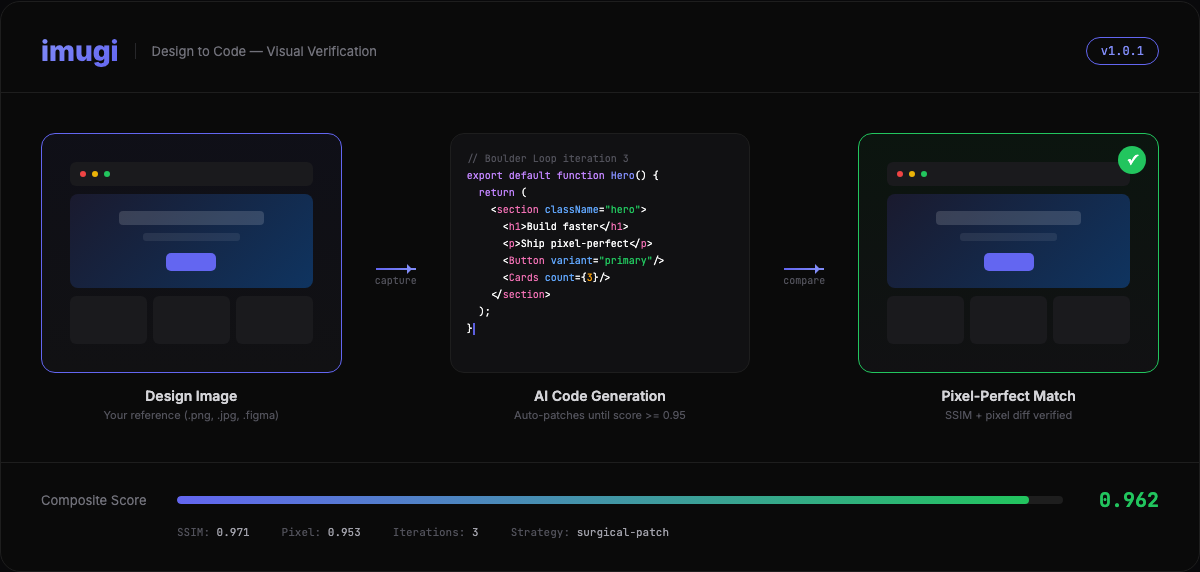
SSIM + pixel diff + Claude Vision scoring with heatmap output. Know exactly where your code diverges from the design.

npm install -g imugi-aiVisual Comparison Engine
SSIM + pixel diff + Claude Vision scoring with heatmap output. Know exactly where your code diverges from the design.
Boulder Loop
Iterative code improvement that keeps going until the design match threshold is met. Set it and forget it.
MCP Server
Drop-in integration with Claude Code, Cursor, or any MCP-compatible AI tool. 6 tools out of the box.
Figma Integration
Export Figma frames directly via URL. No manual export, no context switching.
Project Detection
Auto-detects React, Vue, Svelte, Tailwind, CSS Modules, TypeScript, and more.
Smart Patching
Full regeneration for low scores, surgical patches for high scores. The right strategy, automatically.
Add imugi to your Claude Code or Cursor config:
{ "mcpServers": { "imugi": { "command": "npx", "args": ["-y", "imugi-ai", "mcp"] } }}Then just ask your AI to implement a design — imugi handles the rest.